
Okudu AI - Create Stories
OkuduBooks & Reference
4.2350.00 Reviews
- Version
- 1.2.108
- Installs
- 50.00K
- Age Rating
- Teen
Screenshots
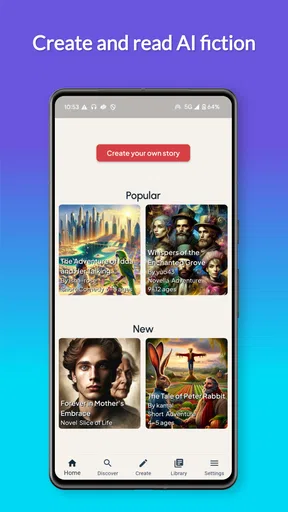
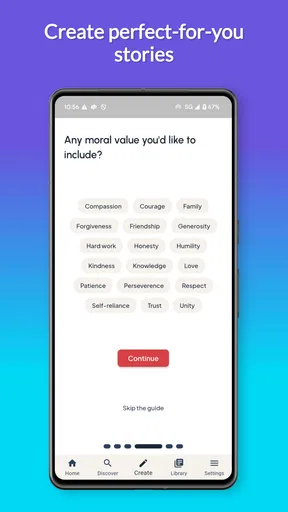
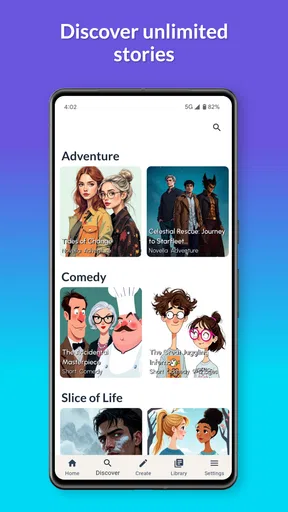
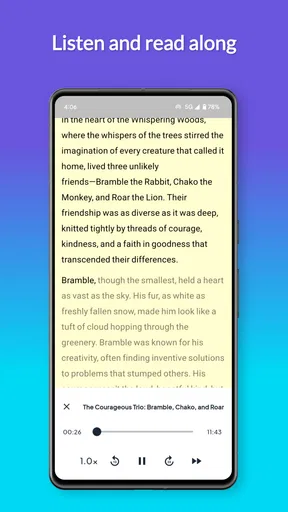
Our Review of Okudu AI - Create Stories
 Analysis by Appyee
Before opening an AI writing app, I like to know what it is meant to help me do and what I’ll still need to do myself. Okudu AI - Create Stories is a fiction-writing app from Okudu, built around using AI to get a story moving. It’s aimed at readers who want to explore AI-generated fiction as well as people who would rather shape a story of their own. The useful distinction is that it can be a starting point, not a substitute for deciding what makes a story worth reading.
What to expect from an AI story app
In the Books & Reference category, Okudu AI sits somewhere between a reading app and a lightweight creative-writing tool. That makes it different from a conventional ebook library, where the main job is finding and reading finished books, and from a blank document, which gives you room to write but no creative nudge. The appeal here is the chance to begin with an idea and use AI fiction as a way to explore possibilities.
I’d approach it with a small, flexible goal rather than expecting a polished novel in one sitting. A character, a setting, or a simple “what if?” is enough to give a first session direction. AI-generated writing can be useful for momentum, but it still benefits from a human eye: you may want to adjust the voice, remove a predictable turn, or make a character’s choices feel more believable.
Making the first session count
For a first-time user, I’d choose a premise I can explain in one sentence and decide what I want from the session before starting. For example, I might want a quick opening scene, a surprising complication, or a few possible directions for a character. That gives me a way to judge the result instead of treating every generated paragraph as equally useful.
A practical habit is to keep one central detail fixed while experimenting with the rest. If the character’s motivation matters most, I’d hold on to it and test different settings or conflicts. If the setting is the part I care about, I’d let the AI suggest character reactions instead. This makes the interaction feel more like guided brainstorming and less like handing over the whole story.
Where it fits in a daily routine
A realistic use is a short break between other tasks: I have ten minutes, a half-formed idea, and no patience for staring at a blank page. I can use that time to explore a possible scene, then keep only the detail that sparks something. The value is not necessarily finishing a story during that break; it may simply be finding the next question I want to answer.
That approach also helps if you read fiction for inspiration but don’t usually write. Rather than trying to create a complete plot immediately, start by noticing the kind of premise you enjoy and build a small variation of your own. If you are writing for a class, a group, or publication, treat the app as a place to test ideas—not as a reason to skip your own editing, fact-checking, or any rules that apply to the work.
Who is likely to enjoy it
I can see this being most appealing to curious readers, hobby writers, and beginners who want a low-pressure way to try making fiction. It may be especially handy when the problem is getting started, since a prompt or generated direction can give you something concrete to react to. People who already know exactly what they want to write may find a conventional word processor more direct, while readers looking only for a carefully curated library of finished books may prefer a dedicated reading service.
The app is free to install, and its Teen content rating gives families and younger users a useful first signal, though I’d still make content choices with the intended reader in mind. Okudu AI has a 4.4 average from around 900 ratings, with over 10,000 installs. Those figures suggest that people are using it, but they cannot tell you whether its style or creative approach will suit you; a short trial with your own premise is a better test.
First Impressions and Getting Started
The first thing that struck me was how user-friendly Okudu AI - Create Stories is. From the moment you open the app, you're greeted with a clean and intuitive interface. No clutter, just the essentials to get you started on your storytelling journey. Setting up was a breeze. All it takes is a quick sign-up and you're ready to dive into creating your first story.
The app offers a variety of templates to choose from, which is perfect if you're like me and sometimes need a little inspiration to kick things off. Whether you're interested in writing a sci-fi adventure or a cozy mystery, Okudu AI has got you covered.
The Creative Process
Once you've selected your template, the real fun begins. The AI assists by suggesting plot twists, character developments, and even dialogue options. It's like having a brainstorming buddy who’s available 24/7. What I loved most was how the AI's suggestions are just that—suggestions. You have complete control over your story, and you can choose to accept, tweak, or completely ignore what the AI offers.
The AI's ability to adapt to your style is quite impressive. It learns from your previous choices and begins to tailor its suggestions to fit your unique voice. This personalized touch makes the storytelling process feel more organic and less like you're just filling in the blanks.
Features That Stand Out
One of the standout features of Okudu AI is the ability to collaborate with other users. You can invite friends or fellow writers to join you in crafting a story. This feature not only makes the process more social but also adds a layer of creativity as you bounce ideas off each other.
Another cool feature is the editing toolset. It’s quite comprehensive, allowing you to polish your story to perfection. From grammar checks to style suggestions, the app ensures your narrative is both engaging and error-free.
Why You Should Try It
If you're someone who enjoys storytelling but sometimes struggles with writer’s block, this app is a game-changer. It’s like having a creative assistant right in your pocket, ready to ignite your imagination whenever you need it. Plus, it’s perfect for both beginners and seasoned writers, offering just the right amount of guidance without stifling creativity.
The app also keeps you motivated with its gamified experience. You can set goals, track your progress, and even earn badges for milestones. This adds a fun element to writing, making it something you look forward to rather than a chore.
A Few Words of Caution
While Okudu AI is fantastic, it’s worth noting that it requires an internet connection to function optimally. So, if you’re planning to write while off the grid, it might not be the best option. However, as long as you’re connected, the possibilities are endless.
Another thing to keep in mind is that while the AI is impressive, it’s not perfect. Sometimes its suggestions might seem a bit off, but that’s all part of the creative process. Just think of it as a quirky co-writer who occasionally throws in some wild ideas.
Choosing what to keep
One useful way to work with suggestions is to treat them as alternatives rather than instructions. If a proposed twist clashes with the character or mood you have in mind, I’d keep the useful part—perhaps the tension or the new obstacle—and rewrite the rest. That small act of selection is where your own voice stays in charge.
For a shared story, it helps to agree on a simple boundary before inviting someone in: who gets the final say on the main character, and whether you are aiming for comedy, suspense, or something else. Collaboration can generate lively contrasts, but without a shared direction, two writers may pull the story into different genres. A quick check-in about tone can save more time than trying to repair the whole draft later.
Limits, cost, and practical expectations
AI assistance can make a first draft feel effortless, but that ease can also produce writing that sounds familiar or moves too quickly past emotional moments. I would read a generated scene aloud and ask whether each line sounds like something this particular character would say. If the answer is no, editing is not a chore around the app; it is the step that turns raw suggestions into a story that feels intentional.
The app is free, but it also offers in-app purchases ranging from $1.49 to $459.99 per item. That is a wide range, so I would check the purchase details carefully before paying for anything and decide what I actually need first. You do not have to treat a paid option as necessary just because it appears during a creative session. For someone who only wants occasional prompts, a free starting point may be enough; a frequent user should still compare the cost with the value they get from their own workflow.
Okudu AI is currently at version 1.2.21 and requires Android 7.0 or later. That makes the basic compatibility question straightforward for many Android users: check the operating system before installing, then begin with a modest story idea. The app is rated Teen, so I would also preview the material and prompts before sharing the experience with a younger reader, rather than assuming that an age label automatically matches every family’s preferences.
When another tool may work better
If your priority is reading finished, professionally edited books, a traditional ebook service is likely a better fit than an AI fiction tool. If you need precise control over a long manuscript, complex revisions, or a carefully organized project, a dedicated writing program may offer a more suitable workspace. Okudu AI makes the most sense when the goal is exploration: test a premise, break through a stuck moment, or play with a scene before deciding whether it deserves a larger project.
I’d also skip it if you want the AI to make every creative decision or if you are unwilling to revise generated text. A story can have a clear beginning and still feel thin if its characters lack specific motives. My practical advice is to use the app to generate options, then add one personal detail the AI could not know—an unusual habit, a private fear, or a choice with a real consequence. That is often the difference between a generic plot and one you want to continue.
Wrapping It Up
In conclusion, Okudu AI - Create Stories is a delightful app that blends technology with creativity in a seamless way. Whether you’re writing for fun or working on your next big project, it’s a tool that can help you bring your narratives to life. I thoroughly enjoyed my time with it and would recommend it to anyone looking to spark their creativity. So why not give it a try and see where your imagination takes you?
My recommendation is to begin with one scene rather than a grand, multi-chapter plan. Pick a template, decide what you want the scene to accomplish, and keep only the suggestions that fit your intent. If that process feels enjoyable, you have a useful creative companion; if you want a quiet reading library or a full-featured manuscript editor, another kind of app will serve you better. That makes Okudu AI a worthwhile free starting point for curious fiction writers, provided you bring your own judgement along with your ideas.
Verdict
Strengths of Okudu AI - Create Stories
- Engages creativity with AI-generated prompts.
- User-friendly interface for easy navigation.
- Wide variety of genres to explore.
- Customizable characters and story settings.
- Regular updates with new content.
Limitations of Okudu AI - Create Stories
- Limited offline functionality.
- Some features require in-app purchases.
- Occasional AI-generated errors.
- Requires stable internet connection.
- Limited language support outside English.
Similar Picks in This Category
View All
Google Play Books & Audiobooks
Google LLC4.7

네이버 - NAVER
NAVER Corp.3.5

Wattpad - Read & Write Stories
Wattpad.com3.7

King James Bible - Verse+Audio
Ozion4.8

Bible Offline-KJV Holy Bible
Bíblia Offline4.9

Amazon Kindle: Reading App
Amazon Mobile LLC4.8
Frequently Asked Questions
What is Okudu AI - Create Stories?
Okudu AI - Create Stories is an innovative app that uses artificial intelligence to help users craft engaging narratives. Whether you're writing a novel, short story, or screenplay, Okudu AI offers tools to enhance creativity, providing prompts, character development suggestions, and plot enhancement features to assist writers of all levels.
How does Okudu AI assist in story creation?
Okudu AI employs advanced AI algorithms to suggest plot ideas, character developments, and dialogue options. Users can start with a basic concept, and the app will provide contextual prompts and enhancements to develop a compelling story. It's designed to inspire creativity while offering practical writing tools and features to refine your narrative.
Is Okudu AI suitable for beginners?
Yes, Okudu AI is tailored for writers of all skill levels, including beginners. The app's user-friendly interface and intuitive design make it easy to navigate. With guided prompts and smart suggestions, even novice writers can find inspiration and support to create captivating stories without feeling overwhelmed.
Can Okudu AI be used offline?
Currently, Okudu AI requires an internet connection to access its full range of features, as it relies on cloud-based AI processing for its advanced functionalities. However, users can save their stories locally and access them offline for reading or manual editing, making it flexible for various writing environments.
What platforms is Okudu AI available on?
Okudu AI is available for both Android and iOS devices. It can be downloaded from the Google Play Store for Android users and the App Store for iOS users. The app is optimized for smartphones and tablets, ensuring a seamless experience across different devices.
